 CrazyGamesX.com
Driving Games
Driving games can ask you to follow a full set of vehicle controls or to make a smaller decision about when to accelerate. Find out what the car does the moment you release an input.

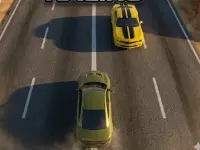

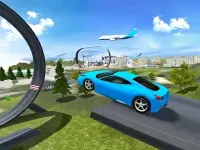













In traffic, a little extra space is useful because you can make the next steering or braking decision before the lane closes.
Before steering toward an opening, look at where you will need to slow down. A clear stretch in front of the car may end at a bend or at another vehicle. Give yourself time to observe how much momentum remains after you change the input.
Get familiar with separate driving controls
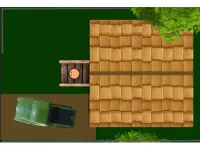
Open Driving School Simulator to try this challenge. Use the city and driving modes to try steering, braking and other controls such as indicators. Read the key list before starting. Practice slowing down in a straight line, then try the same approach ahead of a turn. It is easier to notice how the car responds when only one input changes.
Try the signal and camera controls before a busier route if those controls matter to the mode you choose. Get used to steering and braking separately. Then combine them around a familiar bend, watching for a smoother exit and enough room to straighten up.
Use short holds in traffic
Play Drive Pro 3D for a different challenge. Hold to accelerate and release to brake. Watch how far the car moves after you release, then adjust how long you hold when another vehicle is close. Look beyond the bumper immediately ahead so you can see when traffic leaves you an opening.
Traffic gaps change size as cars move. Notice whether the opening you see is growing or shrinking. Wait before accelerating if a gap is closing, and use a short burst when the distance begins to grow. Check what traffic is doing farther ahead between inputs.
Compare two attempts
Build up a short sequence of successful moves. Start with the easiest part of separating an early brake from the steering decision. Try it once at an unhurried pace and look at where you were when you started. Then use the other game to work on judging the space needed after releasing acceleration. Compare the point at which you spot a useful move to the point at which you act. The space between those points is where you have time to prepare for the result.
Keep a simple reference while you learn the controls. Look for a wide bend or a clear section of road early enough to use it. Watch what happens when the lane stays open briefly and then narrows. After the round, describe the last decision you made while you still had room to change it. Try to recognize that moment sooner on the next attempt. An early choice gives you a chance to inspect the outcome and prepare for what follows.
When learning a new car, pick one open part of the road and find out how long it takes to stop from a modest speed. Do this before following a faster vehicle. The stopping distance gives you a useful reference when the road becomes busy and you have less time to react.
Try another kind of round
Open Driving School Simulator when you want to work on separating an early brake from the steering decision. Give yourself enough time for a second try so you can apply what you learned from the first. For a different kind of decision, move to Drive Pro 3D and practice judging the space needed after releasing acceleration. Start by reading the instruction on the screen. Learning the first input and seeing its result gives you something concrete to compare if you come back to the collection later.