 CrazyGamesX.com
Fps Games
FPS means first-person shooter: you aim from the character's viewpoint and judge the action through the space in front of the weapon. This collection brings together games associated with that style, including target shooting, combat missions, and arena encounters.
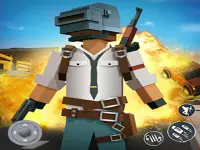

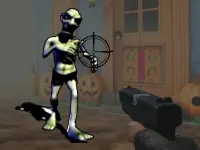
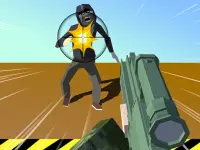
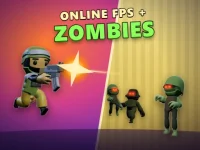
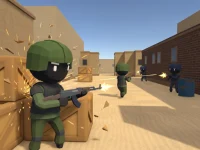





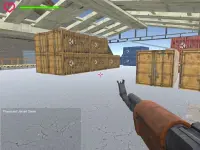

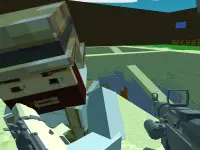

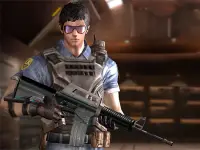
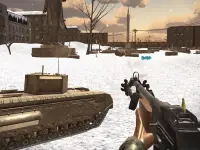

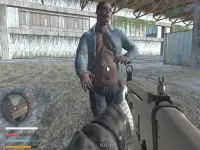





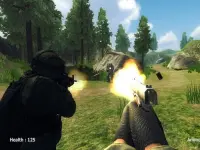
Their demands differ. A target challenge lets you concentrate on sight alignment, while a combat game adds movement, incoming threats, and decisions about where to fight.
Find the kind of aiming challenge you want
Begin with the objective shown on the individual game page. Are you trying to hit targets, survive an encounter, complete a mission, or compete in a match? That answer changes your priorities. A timed shooting challenge rewards a steady sequence of accurate shots. An arena match also asks you to understand cover, approach routes, and where an opponent could appear next. The FPS label alone does not establish multiplayer support, a particular weapon list, or a shared control scheme.
3D FPS Target Shooting is one example listed here whose page focuses on aiming at targets and building a score. It provides a useful contrast with games that require you to navigate a map during combat. Choose a target-focused title when you want to work on deliberate aim; choose a movement-based shooter when you want to combine aiming with positioning. Read the current instructions before starting either.
Crazy Strike Force: putting movement and aim together
For a more involved browser shooter, Crazy Strike Force combines a first-person view with weapon choices, competitive modes, and configurable rooms. Its desktop controls include WASD or arrows for movement, the mouse for aiming, left click to fire, and right click to aim. Space jumps, Shift runs, Q slides while running, and C crouches. These are that game's controls; another title in this collection may use a different layout.
Start by learning one route and one dependable weapon. Move toward cover with the crosshair already near the likely point of contact. Running into every opening leaves less time to aim and makes it harder to stop in a useful position. If you want detailed instructions for its weapon switching, medkits, dynamite, and custom rooms, the Crazy Strike Force controls and strategy guide explains those features in context.
Read the space before taking the shot
In a moving combat game, look for the next piece of cover before leaving the current one. Consider the angles that become exposed along the route, rather than watching only the destination. Arriving behind a wall is useful only if you survive the crossing. Near corners, give yourself room to observe instead of rushing directly into an unknown lane.
Keep the crosshair near the height and edge where a target is likely to appear. This reduces the distance your aim must travel when contact begins. Make small corrections when possible. If every shot requires a large swing across the screen, review your starting aim position before assuming faster mouse movement is the solution.
Match your practice to the game
For a target challenge, practice settling the aim before firing and noticing which shots miss in the same direction. For an arena game, practice moving between cover and preparing the appropriate weapon before entering a new space. For a mission, read its objective and watch for the condition that completes it. Eliminating every visible opponent may not be the only task.
After a failed attempt, identify one useful correction. Perhaps you fired before aligning the sights, crossed an exposed area, or tried to recover without reaching cover. Work on that decision during the next attempt. Several focused rounds teach more than a long series of retries made without understanding what caused the previous result.
Check controls and support before joining
Keyboard-and-mouse input is common in desktop FPS games, but support varies by title. Confirm movement, aiming, firing, and any cursor-lock instruction on the selected page. If touch controls are offered, learn their positions before entering a demanding encounter. Do not transfer crouch, reload, grenade, or sprint keys from another shooter without checking.
Match availability, player counts, health systems, and progression also depend on the individual game. The collection includes differently themed entries, and a shared tag does not guarantee identical features. For a wider choice of perspectives and aiming formats, browse the shooting games category and compare the actual objectives.
Questions before your first round
Does FPS mean every game is multiplayer?
No. First-person describes the viewpoint. Check the game page to see whether it offers target practice, missions, computer-controlled opponents, or online matches.
What should a beginner learn first?
Learn how to move, aim, fire, and stop safely. Add advanced actions after those inputs feel comfortable, using the instructions for that exact game.
How can I improve without playing faster?
Prepare the crosshair, choose cover, and review one mistake at a time. Better preparation often makes the next shot easier before reaction speed becomes important.