 CrazyGamesX.com
Minecraft Games
The Minecraft games collection brings together browser titles that use blocky characters, cube-shaped scenery, or a related visual theme. That shared appearance does not make them one game.






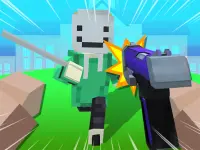
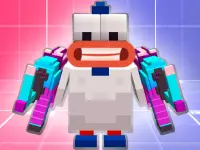

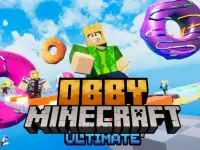

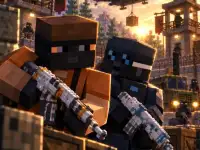
Some entries emphasize movement and timing, while others present different objectives and controls. Choose by the action you want to perform, not by assuming that every familiar-looking thumbnail opens the same kind of sandbox.
Find the kind of challenge you actually want
Start with a simple question: would you rather make quick decisions or take your time? A jumping challenge asks you to watch movement and act at the right moment. A puzzle asks you to understand a problem and test a solution. A title centered on construction would need actual building tools; a forest backdrop alone is not evidence that those tools exist. Read the individual page and its opening screen before committing to a longer session.
The collection also contains entries with names such as Obby Minecraft Ultimate, Minecraft Diamond Miner, and Minecraft Battle Party. Their names help distinguish the available titles, but the instructions on each game remain the place to confirm mechanics. Do not carry controls or features from one entry into another. In particular, mining, crafting, multiplayer, health systems, and saved worlds should only be expected where the selected game actually provides them.
A concrete example: a rotating-platform challenge
Minecraft World Adventure illustrates a focused alternative to building. Its menu presents seven level positions. In the opening playable scene, the character stands on a round wooden platform, other platforms provide possible next landings, and a coin appears nearby. A mouse click in the play area triggers a jump. The important decision is when to launch while the platform turns.
The jump, time, and score indicators give feedback, but they are not a substitute for observing the character's position. Start by identifying one target platform and following one jump from departure to landing. If you miss, compare an earlier launch with a later one rather than clicking repeatedly without a plan. The input is simple; judging the movement is the skill you practice.
This example is useful when you want a compact challenge with a clear action. It is not the right choice if your immediate goal is to gather resources and design a large structure. Making that distinction before playing saves time and makes it easier to find an activity that suits your mood.
Check controls and session requirements
Confirm the input method for every new title. A click-driven game does not establish that all entries use a mouse, and a game loading on a phone does not prove that every action works comfortably with touch. Look for the displayed instructions, test the opening interaction, and make sure the play area has focus before deciding that a control is unresponsive.
Choose a session goal that matches the mechanic. In a timing challenge, repeating one reliable landing is a useful target. In another type of game, the useful milestone may be solving a small section or learning a specific interaction. Avoid making a high score the only measure of progress while you are still discovering the rules. Understanding why an attempt failed gives the next attempt a purpose.
If a game is loading, let that process finish before testing inputs. If the play area remains blank, distinguish a loading failure from an ordinary missed jump. Try a normal reload if necessary, but do not install unexpected software or weaken security settings to make a title run. On managed devices or networks, play only where access is permitted.
Compare entries without assuming shared features
Browser games in a themed collection can differ in more than controls. One can be suitable for brief retries, while another may need a longer uninterrupted session. Some may explain progress storage and others may not. Check the individual game before relying on saved progress, online play, account synchronization, or a particular device. None of those features follows automatically from the Minecraft-style theme.
For a more detailed approach to choosing a game, planning deliberate retries, and separating loading issues from gameplay decisions, read the Minecraft-style browser games guide. Then return to the collection with a clear preference: the activity you want, controls that suit your device, and a manageable goal for the time you have available.