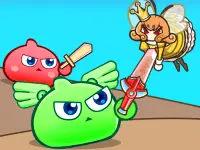
Meera Quest 2
In this browser game Meera Quest 2, I was trying to dodge spikes while Mira was jumping around. The game uses keyboard buttons for movement and jumping, which feels precise when maneuvering through obstacles and hazardous environments.
How To Play Meera Quest 2
Use arrow keys or WASD to control Mira, and press spacebar to jump, to Clean collect keys and dodge hazards to progress.
Controls and Features
The game uses arrow keys or WASD for movement and spacebar for jumping, which feels precise when maneuvering through obstacles. It is a classic arcade style game with a simple yet addictive running challenge.
Tips
You must practice to master the timing. Slow reactions will cause you to hit hazards, so keep practicing to avoid being stuck on the same section forever.
Meera Quest 2 FAQs.
Q: What controls are used? A: Arrow keys or WASD for movement and spacebar for jumping.
Q: What is the main objective? A: Collect keys and escape to the exit.
Q: What is the main mechanic? A: Running, jumping, and dodging obstacles.
How To Play Meera Quest 2
In this browser game Meera Quest 2, you will dodge spikes while Mira jumps around. The game uses keyboard buttons for movement and jumping, offering precise control to maneuver through obstacles and hazardous environments. If you enjoyed the original challenge, try the predecessor Meera Quest for a similar experience.
About this game
- Supported devices
- Desktop
- Genre
- Arcade Games
- Release date
- 18 March 2024
- Latest update
- 18 March 2024
- Rating
- No ratings yet