 CrazyGamesX.com
Girl Games
Girl games on this page are separate browser titles with different activities, rather than one puzzle named Girl. The current collection includes character design and other themes, so choose by the task that interests you.
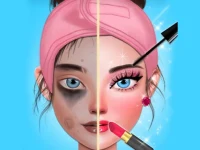


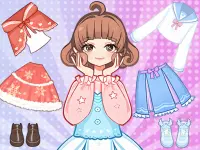

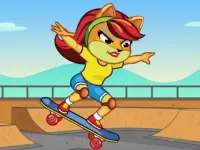


Royal Girl Doll Dress Up offers choices about a doll’s appearance, while Cat Girl Skater provides a skateboarding theme with keyboard instructions. Those examples show why the collection label alone cannot tell you how every game plays.
Explore character design
Royal Girl Doll Dress Up lets you select hairstyles and clothing and make facial choices including eyes, mouth and eyebrows. Its distributor specifies mouse click or tap input. The useful decisions are about combining the available options into a character you want to create, rather than applying a puzzle rule shared across the collection.
Start with a simple design idea. You could emphasise a hairstyle, choose a small set of colours or build the outfit around one prominent element. These are suggestions for your own creative process, not missions claimed for the game. Having a direction makes it easier to decide whether a new choice supports the design or distracts from it.
Compare changes one at a time. If you alter the hair, outfit and face together, you may struggle to identify why you prefer one version. Keep most elements steady while trying a different choice, then look at the whole character again. A small adjustment can change the balance without requiring you to abandon the entire design.
Try a movement-based activity instead
Cat Girl Skater is a different kind of example. Its description presents a cat-girl character with a skateboard in a park, and its published control instruction identifies arrow and space input. Check the loaded game’s own guidance before attempting to use a control scheme remembered from another skating title.
Learn the input in a deliberate sequence. Observe the scene, make a clear action and compare the result with what you expected. If something is unclear, simplify the next attempt instead of changing several inputs at once. This is a general method for learning a control scheme, not a promise of specific tricks, competitive modes or level layouts.
The difference between these examples is useful when choosing a session. Character design gives you decisions about appearance and coordination. A keyboard-controlled activity asks you to understand movement and timing. You may enjoy one task more than the other even though both titles appear under the same browsing label.
Match your goal to the individual game
Choose one manageable aim before starting. In a design game, you might try to create an outfit with one clear focal point. In a movement game, you might focus on making more deliberate inputs. A goal based on your actions is practical without inventing a shared score, countdown or reward system for unrelated games.
Read the available instructions for device input as well. Click or tap is established for Royal Girl Doll Dress Up, while the published Cat Girl Skater instruction points to a keyboard. Do not assume that every game has equivalent touch controls or that a collection label proves how well it fits a particular device.
Compare, discuss and choose again
A person beside you can help compare two designs or describe what happened after an input. That does not require the game to offer online multiplayer. Keep the discussion specific: explain which part of a character attracts attention, or which action produced an unexpected response. This makes the conversation useful without presenting one person’s preferences as rules for everyone.
The guide to choosing Girl games compares these two examples in more detail. Use it to decide between a design activity and a movement activity, then follow the current instructions of the title you open. The collection is a way to discover games; the individual game remains the source of its own goals and controls.