 CrazyGamesX.com
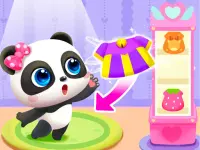
Baby Panda Photo Studio Game
Baby Panda Photo Studio GameSimilar games







Baby Panda Photo Studio Game
Baby Panda Photo Studio Game is a browser game about helping a panda set up scenes and take photos. The main mechanic involves clicking props, backgrounds, and positioning characters to create a picture.
How To Play Baby Panda Photo Studio Game
First, pick a scene, Clean choose props, backgrounds, and pose the panda, then hit the camera button to take a shot.
Controls and Features
Controls are clicking props, backgrounds, or next to the character to pose him, and pressing the camera icon to snap the photo. The UI uses buttons for these actions.
Tips
Adjust the camera Slow to improve the shot. Keep tweaking the scene and pose to get the best composition and lighting.
Baby Panda Photo Studio Game FAQs.
Q: What are the controls? A: Click props, backgrounds, or next to the character to pose, and press the camera icon. Q: What is the objective? A: Create the best possible picture by setting up scenes and snapping photos. Q: What is the main mechanic? A: Clicking props, backgrounds, and positioning characters to take a photo.
How To Play Baby Panda Photo Studio Game
Jump into Baby Panda Photo Studio to help a panda set up scenes and take photos by clicking props, backgrounds, and positioning characters.
About this game
- Supported devices
- Desktop
- Genre
- Shooting Games
- Release date
- 18 March 2024
- Latest update
- 18 March 2024
- Rating
- No ratings yet