 CrazyGamesX.com
Subway Surfers Online Crazy Games
This Subway Surfers online collection groups railway-running titles with other browser activities. Several cards use city or tour names, while some introduce a different format altogether.





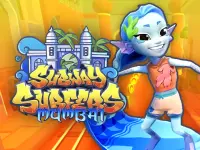


















Choose the particular entry you want to open and read its instructions. The collection is a way to compare choices, not evidence that every title shares a course, a character roster or one account's progress.
Establish a clear reference with the Seoul version
Subway Surfers Seoul gives you a specific railway-running game to learn. Guide Jake through trains and obstacles, collect coins when the path permits it and keep choosing a usable lane. Its listed inputs are Left and Right for lane changes, Up for jumping and Down for rolling. Directional swipes provide the corresponding touch movements.
Begin by recognising the effect of a single input. Watch which lane the character occupies after a change and how much space remains before the next obstruction. Understanding that response gives another movement a purpose, instead of turning the run into a sequence of corrections made before the previous one has finished.
Plan the place where a movement will end
When deciding to jump or change lanes, look at the destination as well as the object you want to avoid. A movement can clear the nearest obstruction and still leave another decision immediately afterwards. Keeping the next section in view helps connect those actions into a route.
Coins are useful opportunities within that route. Before following a line of them, identify where you can leave it if the next part becomes blocked. You do not have to treat every visible pickup as an instruction. A path you understand can be a better choice while you are still learning how the character responds.
Use the collection's city names to make a choice
The current cards include London, Seoul, Mumbai, New Orleans and further locations or tour labels. Choose a setting that interests you, then inspect that player's opening prompts. A familiar title should not replace checking which controls and objectives the current build actually presents.
There are also entries such as Subway Surfers Rio Puzzle and other non-running activities. Read the selected description before expecting continuous forward movement. That small check is useful when similar artwork appears on games whose decisions involve different inputs or a picture arrangement instead of railway obstacles.
Compare another matching-based run elsewhere on the site
Long Neck is a separate collecting game in which rings matching the character's colour make its neck taller. It provides a different reason for choosing a route through approaching pickups. The comparison is about reading a useful collection path, not a claim that it belongs to the Subway Surfers series or shares its controls.
In that game, identify the current colour before choosing the next rings. In the railway runner, identify a safe lane before committing to a coin line. Both ask you to connect a nearby opportunity with the position it will leave afterwards, while keeping their individual objectives distinct.
Review one decision between attempts
On a touch screen, keep the approaching route visible around your hand. On a computer, confirm that the player has focus before judging an arrow-key response. A comfortable view and a recognised input make it easier to assess the route you actually chose.
After a run, remember the moment when the next section became unclear. Perhaps an input did not register as intended, or perhaps the chosen lane was already a poor destination. Check the interaction first, then decide whether the change you need concerns the route or the timing.
Keep a small aim for the next attempt, such as recognising one obstacle sooner or finishing a lane change without another unnecessary correction. The Hypercasual Games collection offers more short formats when you want to practise a different kind of decision.