 CrazyGamesX.com
Robot Games
Robot Games collects browser games in which robots move boxes, clean rooms, fight in arenas or appear as part of the setting. Pick a game by the job on its card.



















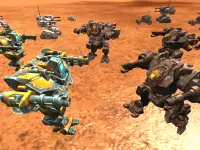


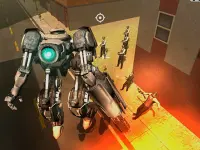




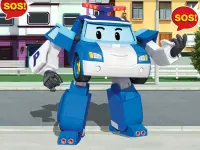


A robot vacuum that needs to return to a dock gives you a very different challenge from a magnetic puzzle about moving boxes to target positions. If you remember only the machine, use the title and the opening objective to decide if you found the game you wanted.
Plan a route or solve a room
In The Space Mover, you guide a robot through space-themed rooms and use magnetic movement to place boxes on their targets. It suits players who like to consider the order of their moves. Look across the room before making the first placement. The spot that gets a box out of your way now may be the spot the robot needs to reach when you position the next one.
In Tidy Bot, you drive a robot vacuum to pick up dirt and coins and get back to the dock before the battery runs out. A useful first goal is to complete a sweep with enough charge left for the trip home. Once you know how the vacuum handles, you can decide whether to take a detour for a coin or collect it on the return. Designed levels give you fixed rooms to learn, and Endless mode gives you a different room to read each round.
Choose a defense game or a robot matchup
Super Fighting Robots puts the focus on protecting the BOMBER 2000 spaceship from alien invaders. Consider it if you would rather react to approaching threats than spend a round working out where a box should go. The name on the card can sound like a fighting game, so the ship is a useful detail to look for when choosing.
If you want to compare robot combat titles, the collection shows cards such as Ultimate Robot Fighting, War Robots Battles and Mecha Storm Robot Battle. Open the game page to check its goal and controls. Names that share words such as “battle” and “robot” can lead to separate games, so use the full card title if you are trying to return to one. Check Robot Car Emergency Rescue 2 and Robot Car Emergency Rescue 3 by their numbers if the rescue theme is what you remember.
Check the device and controls
Read the selected game’s controls before settling in. The Space Mover uses WASD, Space and E on desktop and on-screen buttons for touch play. Tidy Bot lets you drag with a mouse or your finger and supports several keyboard layouts. Those two titles are useful options if you are looking for a specific input method. For the rest of the collection, the control information belongs to the game you open. A different game on the same tag may ask for a different setup.
On a smaller screen, look at the full title again after choosing a card. If you are comparing two similarly named games, bookmark the one you want to return to or keep the collection open to try several. Use the game page when sharing a particular version with another player.
What to play in a short visit
Choose a match or a defense game if you want a round shaped by what happens on screen. Choose The Space Mover if you want to leave with one puzzle solved, or Tidy Bot if you want to clear a room and make it back home. If you are still deciding, pick the goal you can describe most clearly. Then try a single round and judge whether you want more of the same type of challenge.