 CrazyGamesX.com
Miraculous Ladybug Games
Miraculous Ladybug games on this page offer several ways to spend time with the characters, from colouring pictures to rearranging an image or creating a popstar look.















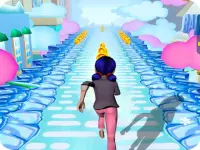


The collection also includes character-themed runners, hidden-object titles and other activities. Choose by the task you want to do: recognising Ladybug in a thumbnail does not mean the next game uses the same controls or has the same objective as the one you just played.
Start with a creative activity or a fixed puzzle
A useful first choice is between making your own result and finding a particular solution. Colouring lets you decide how a picture should look. A sliding puzzle asks you to restore an existing arrangement. Dress-up gives you a set of styling choices to combine. Those differences matter more than the shared character theme when you are deciding what to play, particularly if you prefer a relaxed creative session to a problem with a definite finishing position.
Build a colour scheme around the character
Miraculous Ladybug Coloring presents character pictures for you to colour using the mouse or a tap on the screen. Start with one part of the character and decide which shades should stand out. A small group of colours can make the image easier to read than using a different bright shade for every area.
You can aim for a familiar Ladybug-inspired palette or experiment with an alternative. Choose a main colour, then consider how neighbouring details will look beside it. Contrasting shades help separate important parts of the picture; repeated shades can tie the result together. There is no need to treat a creative colour choice as a puzzle error. The point of this activity is the picture you choose to make.
Understand what a tile move changes
Miraculous Ladybug Slide offers a more structured task: restore a shuffled character picture. Its three grid sizes use three, four or five rows and columns. A smaller board is a sensible starting point because it gives you fewer separate pieces to track while you learn the movement.
Select a tile and a neighbouring tile to exchange their positions, or use the supported swipe movement. Every exchange changes two places, so consider what will happen to the second piece before moving the first. Building a recognisable part of a face, costume or background can give you a useful reference for the surrounding pieces.
The preview helps you check the intended picture. Consult it when a section is difficult to recognise, then return to a specific part of the board instead of moving tiles without a target. The game records elapsed time and calculates a time-related completion bonus. Learn to finish a board reliably before trying to reduce the time spent on familiar sections.
Create a coordinated popstar look
In LadyBug Popstar Dress up, the activity shifts to styling Ladybug and the other girls. Use the mouse to work through the available choices and build a sparkling makeover. Begin with an overall idea for the look, then compare individual selections against that idea.
Changing one element at a time makes comparisons easier. If a combination feels too busy, simplify one part before replacing everything. You can also deliberately try a different direction on the next attempt, such as moving from a restrained colour combination to a brighter stage-inspired result. These are styling suggestions rather than requirements for a particular score.
Pick the next game by its actual instructions
When switching to a runner, hidden-object activity or another title from the collection, read its opening instructions again. A tap used to colour a picture will not necessarily have the same purpose elsewhere. Look for the immediate objective and make a small test input before committing to a longer sequence. This gives you a clear starting point and helps you choose an activity that suits the time and attention you have available.