 CrazyGamesX.com
Crazy Games Roblox
The Crazy Games Roblox collection brings together browser games featuring blocky characters, obstacle courses and playful building-inspired worlds.


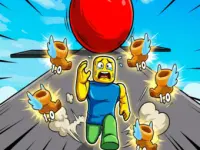
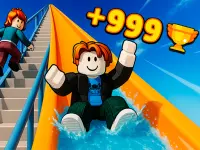
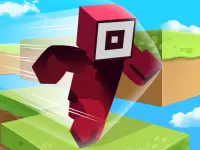


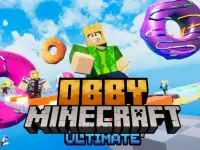

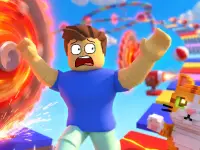



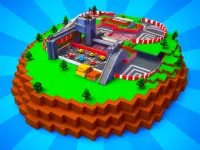
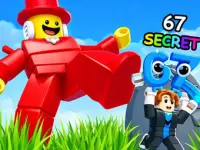










The cards on this page include running courses, climbing challenges, slides, vehicle adventures and other obby-style activities. Choose a game by the kind of task you want to tackle: a similar-looking character does not mean every title has the same movement, objective or progression.
These are individual games launched from CrazyGamesX. Read the chosen game's own instructions rather than assuming that a card opens a particular Roblox experience, shares an account or carries progress from another game. This distinction is especially useful when a title or visual style feels familiar but its controls turn out to be different.
Platform tracks and careful landings
Roblox Craft Run is one example of a movement-focused choice in this collection. Its pixel-craft course combines running, jumping, bridges and maze navigation. The immediate problem is getting the character through the track and into the next section. Looking at the landing area before a jump helps you plan what happens after you cross a gap.
Approach a new course in small stages. First learn how the character responds, then identify the route, then try to make the movement more consistent. When a section goes wrong, decide whether you misunderstood the path, started from an awkward position or mistimed the input. Changing one of those decisions makes practice more informative than repeating an entire run with no particular adjustment.
Climbing and collecting have a different rhythm
Obby: Climb and Slide uses ladders and slides as its central loop. You climb to a greater height, ride a slide and collect coins, with longer rides offering more coins. Pet companions help with earnings. The appeal is building a dependable route upward and seeing how the resulting slide changes the reward.
This makes it a useful contrast to a maze-like running track. In a platform course, the next landing can be your main concern; in the climbing-and-slide game, you also consider the height you reached and the return from the ride. Choose whichever loop suits the time and attention you want to spend rather than judging the games only by their shared blocky appearance.
Check the controls before committing to a challenge
Input varies across the collection. Roblox Craft Run's distributor lists mouse clicks or taps, while Obby: Climb and Slide uses WASD movement, mouse camera control and Space to jump on a computer. Its mobile version uses on-screen controls and dragging to turn the camera. The instructions for the game you open are the useful reference when moving between titles.
Give camera control some attention in a 3D scene. Face the ladder, bridge or landing area before starting a difficult move. A clear view helps you separate a direction problem from a timing problem. On a touch screen, check where movement and interaction buttons sit so that you do not cover the part of the course you need to see.
Choose a useful goal for a short session
Set a goal that matches the selected game. You might work on crossing one difficult bridge in a runner, reaching a higher slide in a climbing game or simply learning the camera before attempting a more demanding route. A specific target makes it easier to notice improvement than switching games every time an unfamiliar section appears.
The collection's other cards provide different starting points, but their names alone do not establish multiplayer support, checkpoints or shared rewards. Read the individual description and opening prompts for those details. If you prefer a slower session, look for a task where you can learn a route; if you want repeated movement practice, choose a course whose next obstacle is easy to identify. The best fit is the game whose actual rules match what you want to do.