 CrazyGamesX.com
Car Game Online
Car game online is a collection for choosing a driving challenge by the kind of control it asks you to learn. The cards include different racing titles rather than one game with a shared garage or progression system.





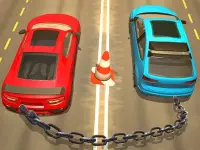





Check whether you want a structured race, a compact jumping course or another style of vehicle handling before picking your next session.
Choose a race with car development
Real Car Pro Racing combines 3D races against AI opponents with car purchases and upgrades. It lists 15 sports cars and 36 tracks, and a top-three finish is the condition for moving to the next level. This gives you a clear result to work towards while learning a course.
Drive with WASD or the arrow keys, use N for nitro, C to change the camera and Space for the handbrake. Learn what the car does through an ordinary corner before adding a boost. Nitro is useful only when you can still control the route after accelerating; using it to hide every handling mistake can make the next bend harder.
The development system gives you another decision after a race. Compare the available change with what actually limited your performance. An upgrade and a better driving line solve different problems. If you repeatedly lose time at the same obstacle, another attempt with a more controlled approach may teach you more than immediately buying something.
Try a smaller set of inputs
Racing Cars 2 takes a different approach. It offers single-player levels and multiplayer races, with A/D or the left/right arrows for control and W or the up arrow for jumping. The jumping action is an important difference from treating every car game as a conventional circuit racer.
Practise a jump while watching where the vehicle will land. A small correction before take-off can be easier to manage than a hurried response afterwards. Use the single-player option to learn the handling, or choose the multiplayer mode available inside the game when that is the experience you want.
Compare objectives before comparing speed
Different driving games reward different results. In a position-based race, finishing in the required place matters. In a course with jumps, keeping the car under control through the next section may be the immediate concern. Read the objective first so you know what improvement means for that particular title.
The same applies to controls. A key used for nitro in one game may be unused in another, while a familiar up arrow can perform a jump instead of acting as an accelerator. Take a few moments to check the on-screen instructions whenever you change games. Shared car imagery is not a substitute for those directions.
Make retries useful
After an unsuccessful run, identify one event you can change: an over-fast corner, a collision, a jump started too late or an unnecessary steering correction. Concentrate on that event during the next attempt. Trying to fix everything together makes it harder to recognise which adjustment helped.
Look far enough ahead to plan the next action without losing awareness of the car's current position. A clear route lets you make smaller inputs. If a camera choice is available, choose the one that makes the next obstacle easiest to judge rather than assuming the most dramatic view is also the most useful.
Find your preferred driving style
For a short session, choose one handling goal rather than changing games after every difficult corner. A repeatable jump or a cleaner bend is an improvement you can recognise and carry into the following attempt.
The wider racing games collection is a useful next stop when you want more alternatives. This tag helps narrow the subject to car-related choices, while individual descriptions explain the actual modes, controls and goals. Online availability does not by itself mean every entry has multiplayer, shared progress, identical device support or the same upgrade system.