 CrazyGamesX.com
Pixel Block 3D
Pixel Block 3DSimilar games










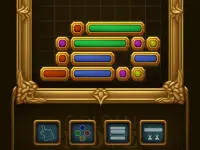

Pixel Block 3D
Pixel Block 3D is a game where i move the mouse to manipulate a block. The objective is to connect the block with pixels on the screen to pass levels.
How To Play Pixel Block 3D
You move the mouse to steer the block, clicking and dragging to keep it steady, Clean.
Controls and Features
The controls are mouse movement for navigation and clicking and dragging to modify the block’s direction. The physics feel floaty when you drag the block around.
Tips
Quick reflexes are key here. Use precise clicks to keep the block steady, and maybe try moving Slow to avoid collapsing.
Pixel Block 3D FAQs.
Q1: What are the controls? A1: Mouse movement, clicking, and dragging.
Q2: What is the objective? A2: Connect the block with pixels on screen.
Q3: Is there a timer? A3:
Q4: What is the main mechanic? A4: Manipulating a block using mouse movement.
How To Play Pixel Block 3D
Pixel Block 3D is a game where you move the mouse to manipulate a block and connect it with pixels on the screen to pass levels. Use precise clicks to keep the block steady, and try moving slow to avoid collapsing. For similar gameplay, check out Blocky Pixel.
About this game
- Supported devices
- Desktop
- Genre
- Racing Games
- Release date
- 18 March 2024
- Latest update
- 18 March 2024
- Rating
- No ratings yet