 CrazyGamesX.com
Gun Maker Workshop Guide: Build, Test and Compare Virtual Loadouts
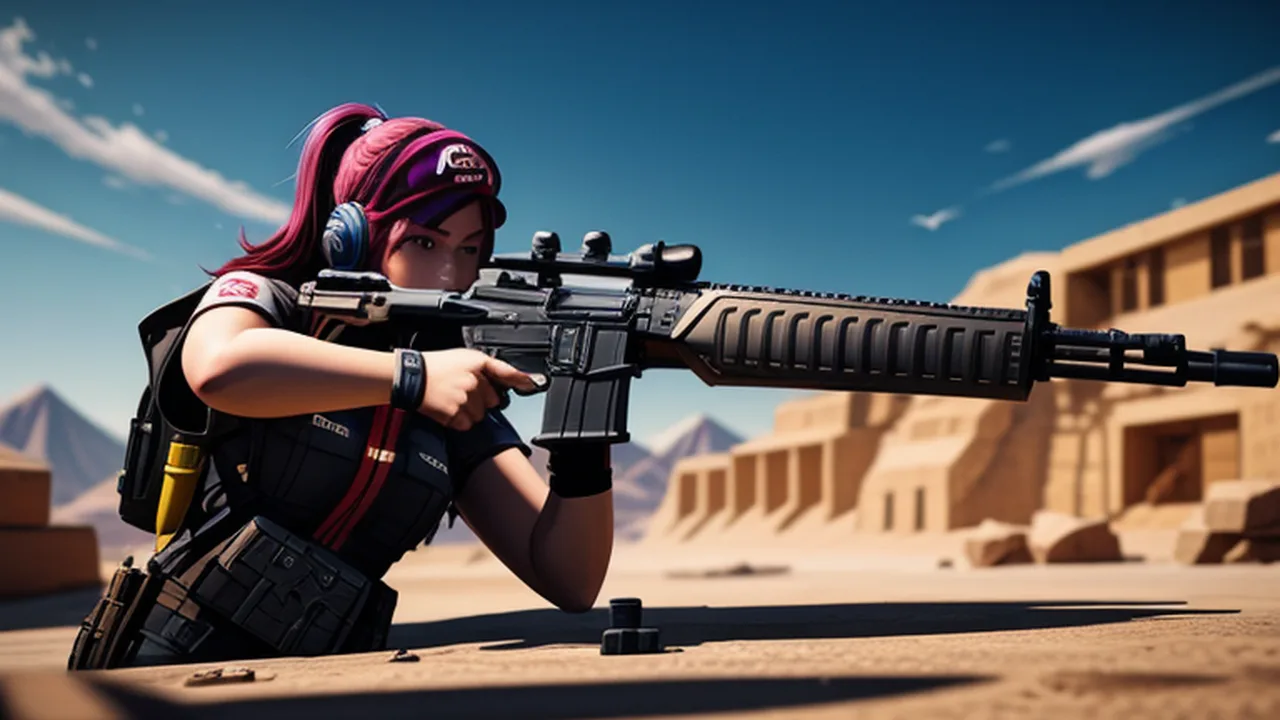
Gun Maker combines a virtual workshop with a target range. You assemble game weapons from modular components, buy parts, use the workshop's fitting interaction and test the result by shooting targets. Precision hits earn in-game cash for further improvements. The useful loop is to build something for a reason, test it clearly and decide what the next change should accomplish.
Open Gun Maker for the specific browser simulator discussed here. Its component shop includes barrels, magazines, stocks and sights, while a safe lets you keep preferred builds. This guide deals with those fictional systems and their on-screen controls. It does not provide real firearm construction or handling instructions.
Give the first build a practical purpose
Start by learning the workshop and the equipment currently available. Read the information attached to a component before selecting it. The useful first aim is a build you can take to the range and understand, not a collection of the most expensive parts you can afford. You need a reference before an improvement can mean anything.
Choose a simple question for the first test. You may want to understand the aiming response, the reload interaction or the way the current configuration handles a short target sequence. A specific question helps separate the effect of the build from the effect of learning the controls at the same time.
Read component information instead of judging appearance alone
The shop offers several types of parts with their own specifications. Look at what the game says a choice changes and compare that information with the configuration you already know. A component's appearance can make it appealing, but the displayed effect is the relevant evidence when your aim is to improve a range result.
Do not assume a real-world relationship between a part's shape and a particular game statistic. Work with the simulator's labels and feedback. If the effect is unclear, treat the purchase as something to investigate rather than announcing it as an upgrade before seeing what the assembled result does.
Keep the workshop sequence easy to follow
Use the available prompts to select and combine the virtual components. Check that the intended part was accepted before moving to the next step. A missed selection and an unsuitable build are different problems: the first concerns the interface, while the second can only be judged once the configuration is assembled and tested.
The workshop includes a torch interaction for fitting barrels. Follow the game's highlighted steps and inspect the result on screen. The relevant skill here is reading the simulator's feedback and completing its interaction, not applying a physical manufacturing method outside the game.
Learn the range controls with a familiar configuration
On a computer, WASD moves, left click fires, right click aims, R reloads and Q opens the settings menu. Begin with a position from which the target is easy to inspect. Test the actions separately so that an unfamiliar input does not become confused with a question about the build's performance.
Keep the current configuration for long enough to understand the basic response. If you replace parts after every uncertain shot, you lose the reference needed to evaluate the next one. A short, readable baseline is more useful than several hurried configurations whose differences you cannot clearly describe.
Choose a repeatable position for comparisons
A comparison becomes easier when you recognise where you were standing and which target you used. Return to a similar position when testing a changed configuration. This gives the target scene a familiar shape and helps you judge whether the new result concerns the equipment or simply a different view of the range.
You do not need to turn the session into a formal experiment. A consistent starting place and a clear aim are enough to make observations more useful. If you move to another position, treat it as another part of the test rather than silently attributing every difference to the component you purchased.
Let aiming and firing be separate decisions
Use the aiming control to establish a clear view of the target before firing. Notice what the game shows about the shot and the hit. When the result is uncertain, inspect the feedback before immediately sending more inputs. Precision matters because target hits provide the cash used for later components and improvements.
A rapid sequence of shots can be enjoyable, but it provides less information if you cannot distinguish one result from another. For a comparison, choose a firing rhythm that lets you see what happened. You can then decide whether a different configuration is helping the task you actually wanted it to improve.
Use the reload action deliberately
R is the reload control in the listed computer layout. Learn its response with the current build before treating an interruption in firing as an equipment problem. Watch the player's ammunition and reload feedback where it is shown, and allow the action to complete before judging the next attempt.
If the range result changes after a component purchase, include the reload interaction in your observation. A configuration can feel different because of how you are using its available actions as well as because of the component's stated effect. Keep those observations separate so that the next choice has a clearer purpose.
Compare one component change at a time
Once a baseline is familiar, choose one available component or improvement to investigate. Read its effect, make the change and return to a comparable range situation. Keep the rest of the test as familiar as practical. The result will be easier to interpret than a comparison between two builds that differ in every visible part.
After the test, decide whether the change helped the question you chose. It might suit the current target task, feel less comfortable or remain difficult to judge. Any of those observations is useful when it is specific. You do not need to call every purchase a success in order to make progress through the collection.
Spend target rewards with the next test in mind
Precision hits earn in-game cash. Before spending it, choose what you want the next purchase to investigate. A part that addresses your current difficulty may provide a more useful test than an unrelated item selected only because it just became affordable. Read the current costs and effects rather than assuming a fixed purchase order.
Keep enough context to remember why you chose an item. You might associate it with a target result you wanted to improve or with an interaction you wanted to compare. That connection makes the workshop feel like a developing project instead of a list of purchases detached from what happens at the range.
Use the safe to retain a useful reference
The game provides a safe for keeping preferred builds. A familiar configuration can serve as a reference when you are deciding whether to keep using a new arrangement. Follow the storage prompts shown in the current version and confirm the result instead of assuming that another game's inventory rules apply here.
A preferred build does not have to be the newest or the most elaborate. It may simply be one whose response you understand and enjoy. Keeping a known configuration gives you a way to make a meaningful comparison when another component becomes available.
Read settings before changing several things
Q opens the settings menu in the listed controls. Inspect the options offered by this build and change only the one you intend to investigate. Do not assume a particular adjustment exists merely because it is common in other shooting games. The current menu is the useful source of information about what can be altered.
If you change a setting, test it with a familiar configuration before buying another part. A change in the interface response can affect how the same equipment feels. Keeping those decisions separate helps you understand the result without blaming a component for a difference introduced somewhere else.
Make a short range visit answer one question
For a brief session, choose a manageable objective: understand a control, compare one component or produce a clearer target test. You do not need to complete the whole collection to have a useful result. A specific observation can make the next workshop decision more informed.
Before leaving, note the configuration and the question still worth testing. On returning, use the state the game actually loads and review the available parts. A simple record of what you intended to compare is more helpful than remembering only that the last build seemed powerful.
Choose a different shooting format when you want one
Blind Shot replaces the workshop-and-range loop with confrontations in which the target is not plainly visible. It uses a different objective and gives movement, camera control and bonuses another role. Learn that game's controls separately instead of expecting the same building systems to carry across.
The wider Shooting Games collection helps compare target practice, defense and other action formats. For Gun Maker itself, keep the workshop connected to a clear test: understand the parts available, assemble deliberately, observe the range result and make the next purchase serve a purpose.
If a new configuration feels unfamiliar, return to the basic actions before judging it. Confirm movement, aiming and reloading with the current controls, then resume the comparison you intended. That small check can separate a workshop decision from an input mistake and prevent an unnecessary purchase made in response to the wrong problem.