 CrazyGamesX.com
Body Drop 3D Guide: why body drop 3d feels so satisfying in your browser
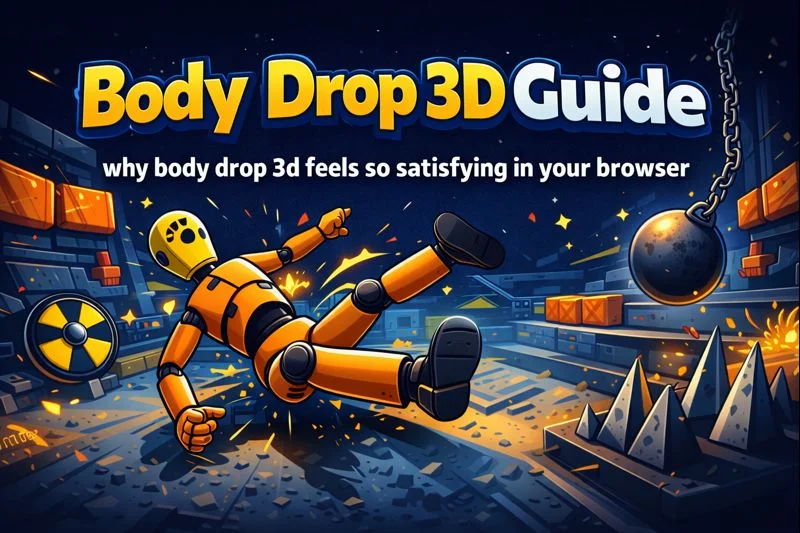
Body drop 3d is pure ragdoll comedy with a tiny strategy twist: you are not trying to win a match, you are trying to engineer the most satisfying tumble. The fun comes from prediction and surprise. You line up a hit, the crash test dummy folds like spaghetti, and the level turns into a chain reaction of rails, ramps, and unlucky landings. If you want to jump straight in, you can play it here: body-drop. Under the hood, this style of game leans on ragdoll physics, a procedural animation approach where the body is simulated as linked rigid parts so impacts and gravity create unique flops instead of repeating the same fall. Some popular listings also note the game runs in a browser build (Unity WebGL) and centers on a crash test dummy across obstacle filled levels. Gamepix - Free Online Games | Play Now!
🎒 Play Free body drop 3d Anywhere Unblocked
No login, no long load, just a quick drop. In body drop 3d, the first minute should be about learning the level’s rhythm. Watch where the dummy starts, spot the rails or bumpers, then choose a first throw that creates a clean angle. Aiming at the torso is safe, but aiming at the legs often spins the body into nastier collisions. If the stage has a steep ramp, try a lighter hit that keeps the dummy sliding instead of launching, because slides chain into extra hits. Treat each run like a tiny experiment. Two calm throws that set up momentum usually beat one angry yeet. For classroom or office sessions, keep your volume low and play in short bursts so the physics chaos stays fun instead of distracting. Quick resets between tries keep hands steady and aim clean too.
🎧 body drop 3d Audio And Visual Features
The sound and look do a lot of the heavy lifting. Body drop 3d feels better when impacts are crisp, camera shake is subtle, and the environment has clear contrast, so you can read depth fast. If the dummy clips through props, it breaks the joke, so the best versions keep hitboxes forgiving while still letting bodies twist naturally. Pay attention to visual cues: a glossy metal rail usually means a hard bounce, while padded shapes tend to absorb energy. Many levels also use slow motion flashes after big hits. Use that moment to plan the next throw, because the replay window is basically free coaching. When effects get busy, prioritize readability over spectacle by lowering quality or disabling extra particles if the menu allows. If you play on mobile tilt the screen to reduce glare and spot edges faster.
🧩 body drop 3d Sandbox Gameplay
Sandbox play is where the game turns into a physics toy. Instead of chasing a perfect score, try setting silly goals. Can you flip the dummy end over end three times? Can you land a clean faceplant on a narrow beam? In body drop 3d, small changes create totally different outcomes, so repeat the same throw from slightly different angles and compare. A good sandbox habit is to pick one feature per run. Focus on ramps today, bumpers tomorrow, and spinning arms the next day. You will start to understand how speed converts into rotation. If your throw feels weak, aim higher on the body to lift the center of mass. If it feels too wild, hit lower to keep the slide controlled. That curiosity is the real endgame. Try recording one run then copy the angle with tiny tweaks.
⚙️ About body drop 3d Performance
Performance matters more here than in most casual games, because physics needs stable frames. If body drop 3d stutters, your timing and aim feel wrong, even when you are doing the same thing. Start by closing extra tabs, especially video and music streams. Then try full screen, but only if it improves input consistency. On older laptops, lowering the quality setting can help a lot because fewer effects means more stable simulation. If the game offers a toggle for shadows or post processing, turn those off first. You will still get the satisfying ragdoll flop, just with less visual clutter. Also, avoid playing while your device is overheating. Thermal throttling can cause random slowdowns that make the dummy behave unpredictably. Smooth frames make the chaos feel fair. Even a mouse can feel smoother than a sticky trackpad on school hardware.
🎯 How to Play body drop 3d Consistently
Consistency is the secret sauce. In body drop 3d, your score usually comes from stacking reliable hits, not from one lucky crash. Begin each level with a setup throw that guides the dummy toward the busiest hazard. That might be a rail cluster, a staircase, or a row of bumpers. Then use your remaining throws to keep the body interacting with those hazards. A simple technique is to aim for the side that will turn the dummy back into the hazard lane, like nudging a bowling ball back toward pins. When you miss, change one variable only. Move your aim point, or change your angle, but do not alter both at once. After five tries, you will see patterns, and those patterns turn random flops into repeatable routes. Find a good route, repeat it twice to lock it in today.
🎥 Camera Controls body drop 3d
Camera control is your best upgrade. If the view is too zoomed in, you lose context and waste throws. If it is too wide, you misjudge distance. In body drop 3d, take a second before each throw to center the dummy and the next obstacle in the same frame. That way you can predict where the body will travel after impact. If the game lets you drag to rotate, do it slowly. Quick spins make depth hard to read and can cause accidental misclicks. On touchscreens, anchor your thumb and use small swipes. On desktop, keep your cursor away from UI buttons so you do not trigger menus mid throw. A calm camera makes your aim calmer, and calmer aim produces the funniest, most controlled disasters. Use gentle micro adjustments and you will stop overshooting targets during high speed bounces.
🚀 FPS Boost Tips for body drop 3d
If you want smoother play, treat it like a mini performance tune. First, lower your browser zoom back to 100 percent. Second, disable battery saver mode, because it can cap performance. Third, close background apps that spike CPU, like video calls. In body drop 3d, physics steps can get heavy when the dummy hits multiple props at once, so stable FPS prevents weird rubbery motion. If your device is low spec, choose shorter sessions and refresh between long runs to clear memory buildup. Also, consider switching browsers. Some systems handle WebGL better in one browser than another. Finally, if audio crackles, mute it. Sound glitches can be a warning sign that the tab is struggling. The goal is not max graphics. The goal is reliable simulation you can learn and exploit. A wired connection can also reduce random input hiccups.
❓ Gameplay Questions FAQ
-
Is body drop 3d free to play? Most hosts offer it as a free browser title, so you can jump in without installing. 2) Why does the dummy bend so weirdly? That is ragdoll physics, where joints and rigid parts respond to forces instead of scripted animation. 3) How do I score higher? Use a setup throw, then keep the body in contact with hazards like rails, steps, and bumpers. 4) Can I play on Chromebook or school laptops? Usually yes if the browser supports WebGL, but performance varies by device. 5) What is the best beginner mistake to avoid? Spamming throws. Slow down, aim with intent, and change one variable per retry. If you treat each level as a puzzle, the funny crashes come more often, and your scores rise naturally without feeling grindy. Practice, observe, repeat, smile.
🧱 body drop 3d New Challenges
New challenges in this kind of game are often about fresh level geometry, not new weapons. A good update adds obstacles that change how you think: swinging hammers, rotating platforms, brittle glass, or ramps that launch at odd angles. In body drop 3d, the best new levels give you two competing routes. One route is safer and consistent. The other route is high risk but can chain huge damage if you hit it perfectly. When you spot that design, pick your mood. If you want a clean score, take the safe lane and optimize your throws. If you want a screenshot worthy disaster, chase the risky lane and accept the occasional flop. The point is variety. New layouts force you to relearn timing, which keeps the physics comedy from getting stale. That curve keeps your brain engaged for longer sessions.
🛠️ Troubleshooting Quick Fixes
If the game will not load, refresh once, then try a different browser. If you get a black screen, check hardware acceleration and update your graphics drivers when possible. If controls feel delayed, close tabs, especially streaming video, and restart the level. In body drop 3d, stutter can make collisions feel off, so prioritize smoothness over high visuals. If the camera keeps snapping, exit full screen and play windowed. If the page is packed with overlays, use the site’s full screen button inside the game rather than the browser’s full screen. If sound is distorted, mute it to reduce strain. And if a level feels impossible, pause and watch the obstacle layout before throwing. Most frustration comes from rushed aim, not from the physics being unfair. If throws stop registering, click once outside the canvas, then return carefully.
Body drop 3d is at its best when you treat it like a short, goofy puzzle instead of a rage test. Play with intention, not speed. Look for the busiest hazard zone, guide the dummy toward it, then keep the chaos rolling with small corrections. When you finally nail a run where every bounce lands perfectly, it feels weirdly earned, like you solved a slapstick equation. And even when you fail, the failures are often the reward: a ridiculous spin, a surprise ricochet, an accidental perfect landing you could never repeat on purpose. Keep sessions short, keep your aim calm, and let the physics do the entertaining part.